When you’re a blogger with limited time and resources, keeping up with ALL the different aspects of blogging is hard. Every social media platform handles photos differently and they are always changing their minds! Here’s my Guide to the Best Image Sizes for Social Media in 2021

This post was updated on May 6, 2021 to reflect NEW image size preferences on Twitter!
Why You Should Always Check Your Own Posts
In my post on Things Bloggers Should Worry Less (and More) About, I reminded you to check your blog’s readability on both desktop and mobile.
But as time went by, I forgot to check how my blog preview images looked on social media!
A few years ago, I researched what size and shape was best for blog images. It seemed like most bloggers were using square photos, so I did too.
Recently, I realized that my preview images on Twitter and Facebook were weirdly cropped.
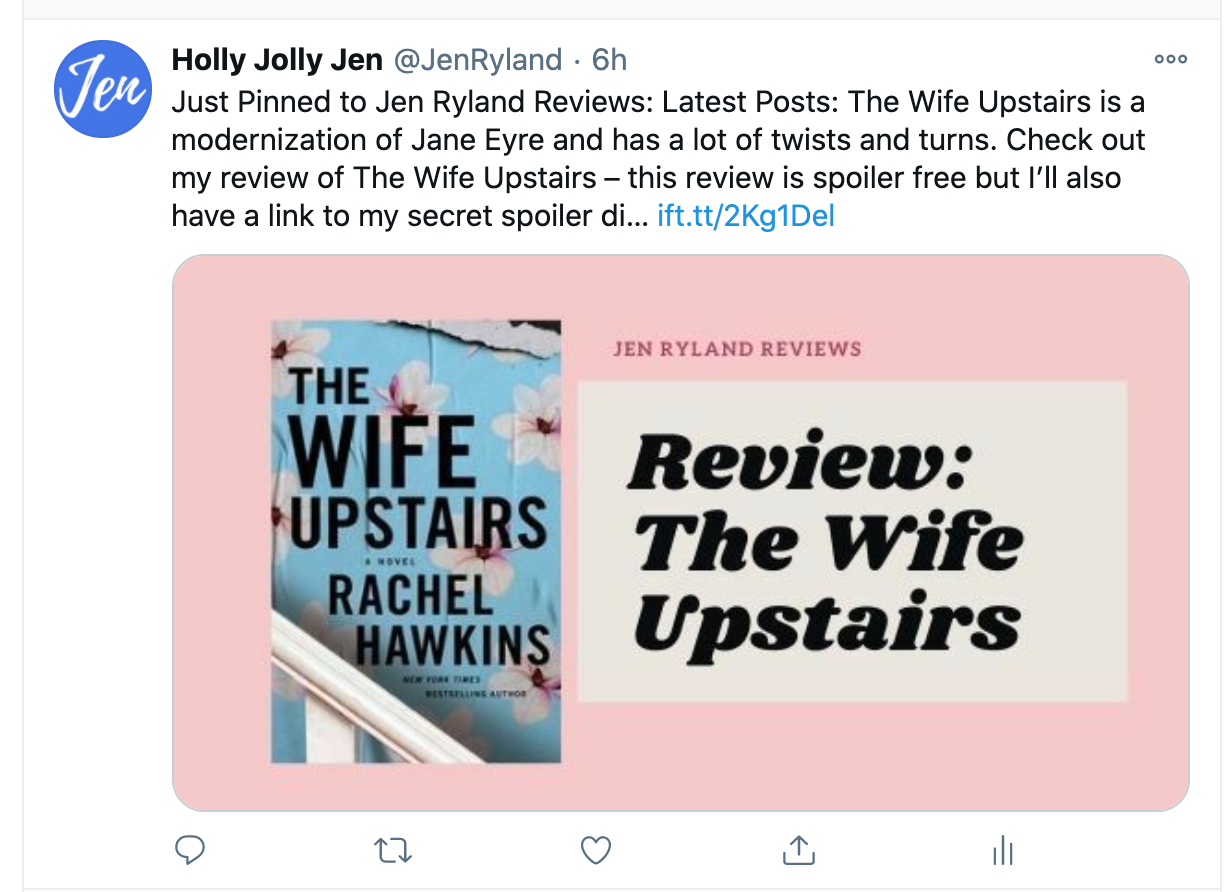
Do you check out your own social media feed? I guess I haven’t recently, because I was surprised to see recently that my Twitter images now looked like this:

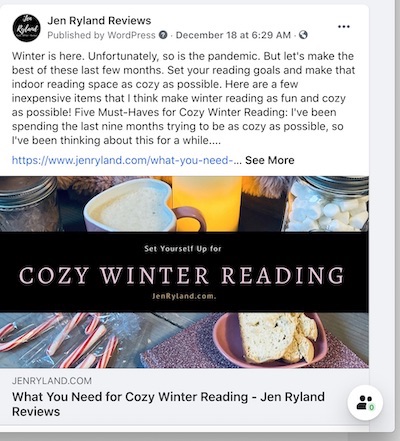
But okay, they only looked that bad on Twitter, right? Nope. Here was my latest Facebook image, which was also awkwardly cropped:

What was happening? When did this happen? It’s a pandemic so maybe I’ve been distracted. Looking at these pictures, I got that feeling you have when you suddenly realize jeans styles have changed and no one else is wearing what you’re wearing.
Why were my social media images so awkwardly cropped?
Why was this happening?
UPDATE: as of May 2021, Twitter will also show images that have a 3:4 ratio in full. Read more below!
Twitter is pretty transparent. Here’s what I found out: Twitter is now displaying preview images in the Tweet feed in a 2:1 ratio (440 pixels wide by 220 high). For those of you who are math challenged, it looks like this:

There’s more: if your image is a different shape, Twitter will look for the “dominant element” of that image and crop it into their preferred ratio. If there’s no dominant element, Twitter will just grab the middle of the image and use that. Which is what was happening to me, with pretty bad results.
Facebook was not transparent (surprise!) Some people suggest Facebook is rolling out a new desktop interface that was optional for now but was going to become the default. But my research revealed that Facebook also wants images in that 2:1 ratio.
Here’s what happened when I tried the new image ratio:
Here are my new 2: 1 ratio images on Twitter – SO MUCH BETTER!
Here they are on Facebook:
They also look great on Feedly (an RSS reader) and in my weekly newsletter- yay! Bloglovin’ works with all sizes of images – thanks, Bloglovin’
So what are the best image sizes for social media?
I’m just a solo blogger with limited time and resources, so I always try to come up with the cheapest, easiest solution.
First, the good news (as of May 2021)
Twitter has changed their preview image policy so that a a portrait oriented book cover for your first image (or featured image) on blog posts SHOULD look better on Twitter. This hasn’t happened in my timeline yet, though.
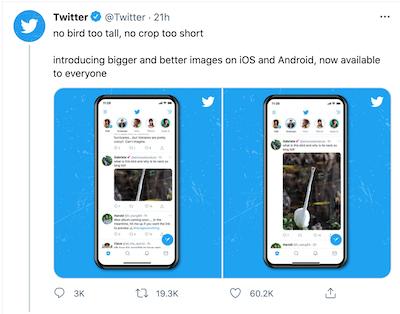
Unless Facebook changes their preview image size preference, I’m still going to use the 2:1 ratio for my featured post images.
Twitter and Facebook want pretty much the same image ratio. I’ll probably use something like 600 x 300 for my blog, or at most, 700 x 350. Don’t forget that huge images can slow down your blog loading speed. I talk all about that in my post on Things Bloggers Should Worry More (or Less) About.
Bad news: Square images are still OUT except on Instagram.
If you want to stick with square blog images, here’s a hack: try running your text across the middle.
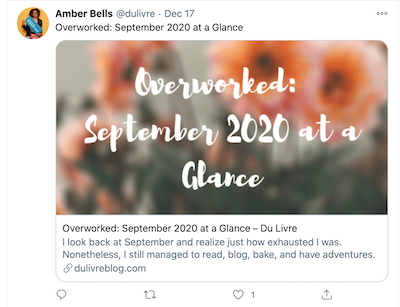
Amber @ dulivre uses both square images and 2:1. When she uses square images, she runs her text across the middle, which seems to work well for the Twitter preview. Here is her original blog image on the left, and her Twitter preview on the right. Looks great!

If you use Pinterest and want to use 2:3 ratio Pinterest friendly images in your blog posts:
You can try putting the text across the middle, but I’m not sure if that’s the most aesthetically pleasing choice for a long, skinny image. (But if you try it, let me know how it works) Or just don’t use that long and skinny 2:3 image for your first or “featured” image.
Below is my handy infographic on the best photo sizes for social media:
What images sizes do Facebook, Instagram, Pinterest and Twitter say they want in 2021?
Feel free to pin my infographic and if you want to follow my Blogging Tips board on Pinterest, you can find it here.

Do you have blog post image tips? Tell me in comments!
Where would you like to read posts like this? On my blog, on Instagram, in a monthly newsletter? Tell me in comments!
Wow! This is good information. Many thanks!
Glad it was helpful. And lol my Pinterest graphic (from a template that was supposed to be for Pinterest) is too big for Pinterest. It’s always something, right?
I really need to keep this in mind. I am sure that my Facebook and Twitter posts are a mess.
Mine were … not great. And it’s a moving target. I figure if I am creating images anyway, I might as well make them the optimal size.
Thanks for sharing this, Jen. Now that I’m trying to get back into blogging, this info is definitely helpful.
thanks for sharing great info! trying to make a post look good everywhere can make my head spin… wishing you a wonderful 2021!
Glad it was helpful – yes, the platforms do NOT make it easy. Happy 2021!